Updated: | 15 min read
Quick answer: Dynamic digital signage is a network of screens whose content changes on its own when something happens: the time of day, a new queue ticket, a stock price, the weather or a sensor reading. A dynamic display is one of those screens. Software reads live data, applies the rules you set and updates every screen without anyone editing a file.
In a hurry?
- A dynamic display changes by rule or data feed. A static or looped screen only changes when someone edits it.
- Every system has four parts: a data source, an integration layer, a content management system (CMS) and media players at the screens.
- Wavetec runs dynamic displays at more than 25 stock exchanges and in service centers where screens show live queue data.
Most organizations already own screens. The real question is what those screens show at 9 a.m. compared with 2 p.m., and who has to change it. A printed poster and a screen that loops the same video all day share the same weakness: the message goes stale, and someone has to fix it by hand.
Dynamic digital signage removes that step. Screens pull from live data, so a bank lobby can show current rates, a passport office can show which counter is free, and a trading floor can show prices the moment they move. The effect is measurable. In “The Moments of Truth” study commissioned by Clear Channel, JCDecaux UK and Posterscope, digital out-of-home campaigns with relevant dynamic content lifted spontaneous ad awareness by 17% and sales by 16%, compared with a 9% sales lift for a single static creative (Decision Marketing, March 2020).
This guide covers what a dynamic display is, the main types, how the system works end to end, where it pays off, what to look for in software and how to roll it out. If you want the product view first, see Wavetec’s enterprise digital signage platform.
What Is a Dynamic Display in Digital Signage?
A dynamic display is a digital screen that changes what it shows automatically, based on rules or live data, instead of waiting for someone to upload a new file. Time, location, a data feed, a sensor or a customer action can trigger the change.
In signage, the term covers LCD screens, LED walls, tickers and touch kiosks, as long as their content responds to data. It is not the same as a phone or monitor panel setting, such as a “Dynamic AMOLED” screen, or the dynamic message signs used on highways. Those share the name but solve a different problem.
Three traits make a display dynamic:
- Templates with live fields. Content is built from layouts with slots for prices, ticket numbers or times, not from fixed images.
- Rules. The system decides what plays, on which screen and when.
- A data connection. Live fields update without manual edits.
A screen that cycles the same ten slides all day is digital, but it is not dynamic. The test is simple: if nothing changes unless a person edits the playlist, the display is static, even though it is a screen.
What Is Dynamic Digital Signage?
Dynamic digital signage is the full system behind those screens: the data sources, software, media players and displays that keep content current across one site or hundreds. Content changes come from five kinds of trigger.
| Trigger | What changes | Example |
|---|---|---|
| Time and schedule | Content by time of day, weekday or season | A quick-service menu board switches from breakfast to lunch at 11 a.m. |
| Live data feed | Prices, figures and status fields | Share prices from a stock exchange’s trading system |
| Operational event | Messages linked to a business system | A queue system calls ticket A045 to counter 6 |
| Environment | Content by weather, traffic or location | A transit screen shows a delay alert |
| Interaction or audience | What the viewer picks, or how many people are present | A kiosk shows directions; a people counter switches the playlist when the lobby fills up |
Most signage guides stop at the first row: scheduled ads. In service environments, the strongest content comes from the third row, the business’s own systems. Queue status, wait times, counter availability and staff performance are the data visitors care about most, because it tells them what happens to them next.
Types of Dynamic Digital Signage
1. Scheduled (dayparted) signage
Content plays by time slot, day or season. A restaurant shows breakfast items until 11 a.m.; a bank pushes mortgage offers on weekends. It is the simplest form and needs no integration, only a CMS with a calendar.
2. Real-time data-driven signage
Screens display fields from a live feed: prices, inventory, flight times or business KPIs. Wavetec’s stock and news ticker and information display system work this way, refreshing figures as the source system updates them.
3. Event-triggered signage
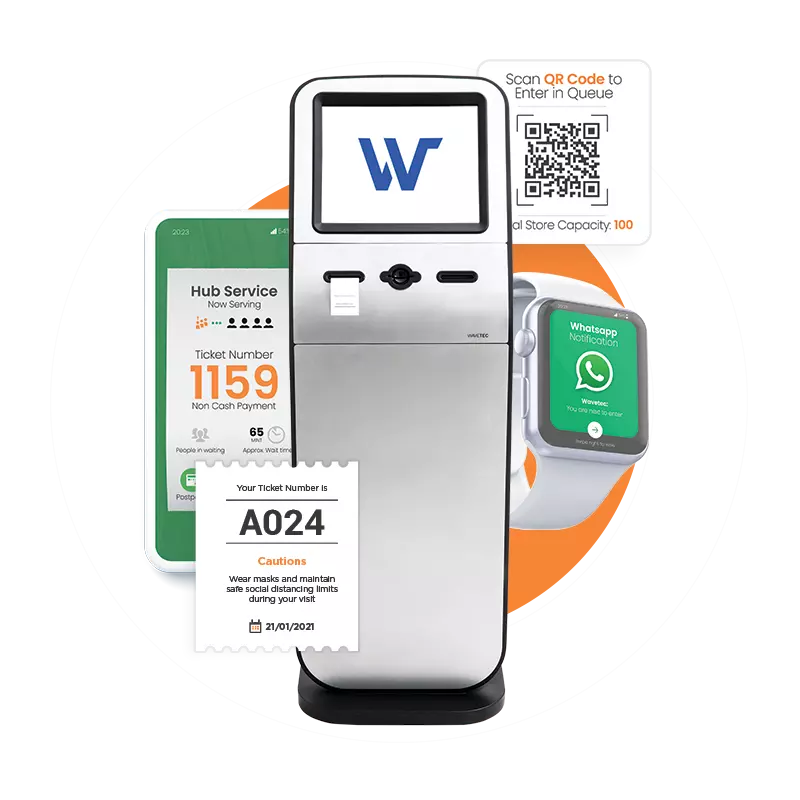
A business system sends an event and the screen responds. In a branch, the queue management system calls the next ticket, updates the waiting count and shows the estimated wait. Our guide on how a queue management system works with digital signage shows the screen layouts in detail.
4. Interactive signage
Touchscreens and kiosks let visitors choose what they see: maps, service menus or forms. The content is dynamic because each visitor’s choice changes the screen. Self-service kiosks often share the same content platform as the wall screens around them.
5. Audience-aware and AI-assisted signage
Sensors count people or measure dwell time, and the playlist adapts. A busy lobby can switch from promotions to service guidance; a quiet one can show offers. Wavetec’s people counting data can feed these rules. Keep it to anonymous counts: a screen does not need to know who someone is to show the right message.
Dynamic vs. Static Digital Signage
“Static” covers two very different setups: printed signs and digital screens that loop fixed content. The table compares all three.
| Printed static signage | Static digital (looped playlist) | Dynamic digital signage | |
|---|---|---|---|
| How content changes | Reprint and replace | Someone edits the playlist | Rules and data feeds update it |
| Time to update | Days to weeks | Minutes to hours, per change | Seconds, automatically |
| Who does the work | Print vendor and site staff | Marketing or IT | Set once, then the system |
| Relevance at a given moment | Often outdated | Same message all day | Matches time, place and live status |
| Control across sites | Hard to keep consistent | Central, but manual | Central and rule-based |
| Data needed | None | None | A connection to the source system |
If most of your messages change less than once a month, static digital may be enough. Dynamic signage pays off when content depends on time, numbers or what is happening in the building right now. For a deeper side-by-side, read our comparison of static vs. digital signage.
How Dynamic Digital Signage Works
Here is a real visit at a government service center, step by step:
- A visitor takes ticket B112 at a kiosk. The queue system records the service type and the time.
- The queue system publishes the event: a new ticket, the updated waiting count and the estimated wait.
- The signage CMS receives the data through its integration layer and fills the live fields in the lobby template.
- The media player behind each screen renders the update within seconds.
- When counter 4 calls B112, the display announces it and the waiting count drops by one.
- The same data flows to analytics, so managers can see wait times by hour and by service.
Four components make that flow work.
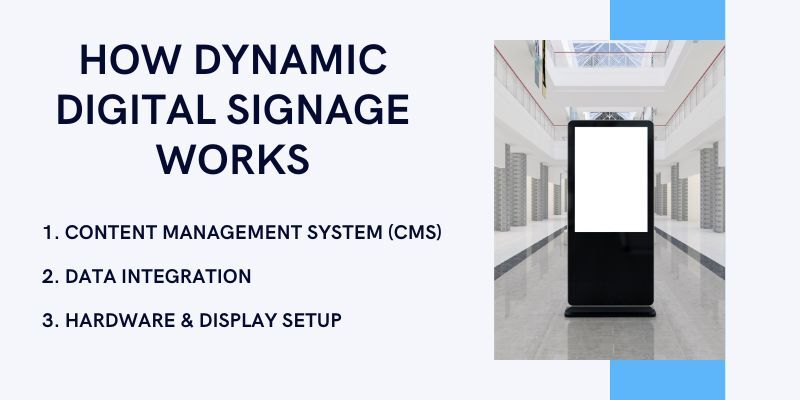
Content management system (CMS)
The CMS holds templates, screen zones, schedules, rules, user roles and approvals. Wavetec’s Donatello digital signage software lets teams create, centrally manage and send targeted content to a network of connected players in real time. A good CMS separates design from data: designers build the layout once, and the live fields update on their own.
Data integration
The integration layer connects the CMS to source systems through APIs, databases or industry protocols. At the Lima Stock Exchange, Wavetec integrated Donatello Suite with the exchange’s transactional system, where financial data is collected through the FIX protocol. At the Erbil Stock Exchange, every display connects to the exchange’s data center through Kettle, Wavetec’s data integration tool, to receive live feeds.
The integration layer should also check the data. If a feed drops, the screen should show the last good value or a default layout, never an error message or a blank zone.
Media players and screens
The Donatello media player sits behind each screen, renders layouts and plays HD content. The screen itself depends on the space: Donatello Vertica is a free-standing, large-format display for lobbies, a video wall suits trading floors and control rooms, and LED display solutions handle tickers and large indoor or outdoor walls. Choose by viewing distance, brightness and orientation.
Network, monitoring and fallback
Players report their status to the CMS, so the team sees which screens are online, which are playing old content and which have lost a feed. Local caching keeps screens running if the network drops. Without monitoring, a dynamic display can fail quietly and show yesterday’s numbers.
Want to see live queue and market data on your own screens? Explore how Donatello connects to the systems you already run.
Where Dynamic Displays Make the Biggest Difference
Banks and stock exchanges
Rates, exchange prices and branch offers change during the day, so this is where dynamic content earns its keep fastest. Banks use screens for rates and queue calls, as our guide to digital signage solutions for banks explains. Exchanges use LED tickers and walls fed straight from the trading system; see how LED displays are used in stock exchanges and Wavetec’s stock exchange solutions.
Government and service centers
Visitors want to know three things: where to go, how long they will wait and when it is their turn. Screens linked to the queue system answer all three. Read more on digital signage for queue management and on how digital signage improves government messaging.
Healthcare
Hospitals use dynamic displays for patient calls, wait updates, wayfinding and health notices. Show ticket numbers, not patient names. Our article on digital signage for hospitals covers screen placement, and why healthcare networks are standardizing digital signage explains the multi-site case.
Retail and quick-service restaurants
Menus and promotions change by time, stock and season. Daypart rules switch menu boards automatically, and inventory feeds can pull a promotion when an item sells out. See our guide to retail digital signage.
Airports and public transport
Gate changes, delays and platform updates have to reach travelers in seconds. Our airport digital signage examples and the guide to digital signage in public transportation show how operators handle it.
Offices and campuses
Internal screens show KPIs, meeting rooms, safety notices and announcements. See digital signage for internal communication and the benefits of digital signage for schools and colleges. For a sector-by-sector view, read industries that benefit from digital signage.
Real Deployments: Dynamic Displays in Wavetec Projects
Erbil Stock Exchange, Iraq
The Erbil Stock Exchange needed real-time displays it could manage on its own from day one. Wavetec installed four displays at one location: a full-color LED ticker and a full-color LED display wall in the main trading hall, and a double-line LED ticker at the entrance. All of them connect to the exchange’s data center through Kettle for live feeds. The tickers show market data and news in English and Arabic, staff schedule content with Donatello, and the project was delivered within three months.
Lima Stock Exchange, Peru
Lima’s old display software was rigid and could not change its own content. Wavetec replaced it with Donatello Suite, integrated with the exchange’s transactional system through the FIX protocol, and reused the existing video walls. The exchange’s team now creates its own content and designs for events, special occasions and daily trading.
Federal Authority for Identity and Citizenship (ICA), UAE
ICA runs more than 70 Wavetec systems across more than 50 locations. Donatello digital signage works alongside the electronic queue management system to direct, guide and inform visitors. One feature links dashboards to the screens: a display shows the top-performing counter of the day, turning live performance data into staff motivation.
More than 25 stock exchanges
Wavetec’s LED and display integrations run at more than 25 stock exchanges, including Barcelona, Chile, Mexico, Qatar, Bahrain, Saudi Arabia, Oman, Dubai, Nigeria and Kenya. The lesson from all of them is the same: a dynamic display is only as good as the data connection behind it.
Benefits of Dynamic Digital Signage
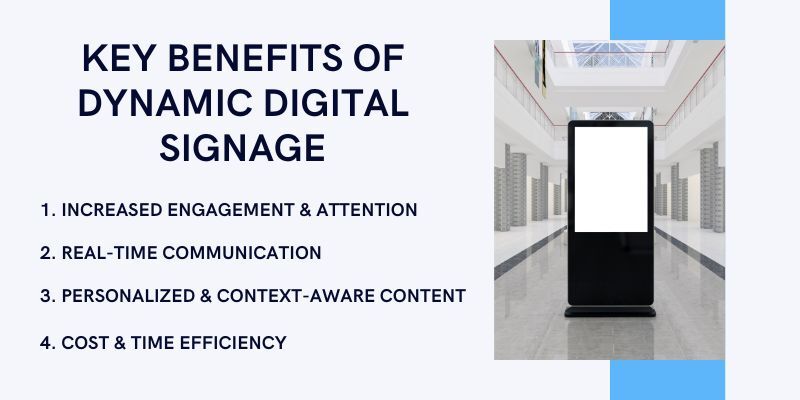
For visitors and customers
- Accurate information. Prices, wait times and service status are current, not last week’s.
- Shorter perceived waits. Wavetec reports that Donatello screens showing real-time queue information help reduce perceived wait times by up to 35%. Our article on how digital signage lessens perceived wait times explains why.
- More attention. In the Moments of Truth research, brain response was 18% higher when screens used a relevant trigger such as location, weather, time or a live update. OUTFRONT’s 2025 out-of-home trends report found that digital out-of-home drives 3.2 times more neuro response and memory activity than static formats.
For the organization
- Fewer manual updates. Rules replace daily playlist edits and reprints.
- One message across every site. Head office changes a rule once and it applies everywhere.
- New revenue. At Erbil, Wavetec’s consultants proposed using the displays for advertising and promotions during IPOs and corporate events.
- Less print waste. See our notes on eco-friendly practices in digital signage.
- Better data. Screens that share data with the queue system produce wait and service reports managers can act on.
How to Measure the Results
Track a short list of numbers before and after go-live:
- Content freshness: the share of screens showing current data at any time.
- Player uptime: hours online per screen, by site.
- Data delay: seconds between a change in the source system and the change on screen.
- Wait time and perceived wait: actual wait from the queue system, perceived wait from customer feedback surveys.
- Promotion results: sales of promoted items at sites with and without a dynamic rule.
- Staff time: hours spent on manual content changes each month.
Wavetec’s Spectra analytics software reports queue and service data by branch, which makes the wait-time numbers easy to compare.
Dynamic Digital Signage Software: What to Look For
Must-have features
- CMS with templates, zones and rules. Designers build once; data fills the fields.
- Real-time data integration. APIs, databases and the protocols your industry uses.
- Remote management and monitoring. Status, alerts and screenshots for every player.
- Scalability and multi-location control. One console for one screen or thousands.
- Role-based access and approvals. Branch staff edit local content; head office controls brand content.
- Offline playback. Screens keep running when the network drops.
Questions to ask a vendor
- Which of our systems can you connect to out of the box, and what needs custom work?
- What does the screen show when a data feed fails?
- How long does a change take to reach 100 screens?
- Can the signage share data with our queue, appointment and feedback systems?
- Can the platform run in the cloud, on our servers or both? Our guide to cloud vs. on-premise queue management systems covers the same trade-off.
- Which certifications back your security claims?
What drives the cost
Price depends on the number of screens and players, screen type (LCD or LED, indoor or outdoor), the integrations you need, who creates the content, the hosting model and the support level. Integrations usually carry the most variation, so list your data sources before you ask for a quote.
Security, Privacy and Accessibility
Screens in public spaces connect to business systems, so treat them like any other device on your network. Wavetec holds ISO 9001:2015 and ISO/IEC 27001:2022 certification, is GDPR compliant, and is SOC 2 and HIPAA compliant.
- Show ticket numbers, not names, on any screen visitors can see.
- Use anonymous counts, not facial recognition, for audience triggers. Personal data on screens falls under rules such as the EU’s General Data Protection Regulation.
- Limit access with roles and keep an audit log of who changed what.
- Design for everyone. Follow the Web Content Accessibility Guidelines for contrast and text size, and pair visual calls with audio announcements.
Best Practices for Creating Engaging Dynamic Content
- Use data responsibly. Personalize by time, place and service, not by personal details.
- Design for distance and a three-second glance. One message per zone, large type and strong contrast.
- Refresh on a schedule. Rotate promotions so regular visitors keep noticing them. Our digital signage marketing strategy guide has a content plan you can copy.
- Always build a fallback layout. Every live field needs a default value.
- Test with real data. Long names, large numbers and empty feeds break layouts that looked fine in design.
How to Roll Out Dynamic Displays, Step by Step
- List the decisions each screen should support. Where to go, how long to wait, what to buy.
- Map your data sources. Queue system, trading system, inventory, weather, calendars.
- Survey each site. Viewing distance, light, power and network at every screen position.
- Design templates with live fields and fallbacks.
- Pilot at one or two sites. Wavetec offers an extended three-month pilot for larger digital signage projects.
- Train content owners. Decide who edits what and who approves it.
- Scale and monitor. Add sites in waves and review the measures above each month.
FAQs
Where to Start With Dynamic Digital Signage
Start with the one screen where stale information costs you most, usually a waiting area, a trading floor or a menu board, and connect it to the data that already exists in your systems. Once that screen updates itself, the same template and rules scale to every site.
Make your screens update themselves
See Donatello connected to your queue, market or business data in a 30-minute demo.